GlideRail vs Textream: Which One for Live Calls on a Mac?
Updated 2026-11-06 · 5 min read · Competitor facts last checked 2026-11-06
Short answer: Textream is a free, open-source teleprompter for Mac, iPhone and iPad that highlights each word as you read it aloud. GlideRail is a paid conversation rail for the Mac: your prep sits on cards, and it offers the matching card when someone on a live call says words from it. If you're reading a script, take Textream. If the call won't follow a script, that's the job GlideRail does. Textream's hide toggle is free; in GlideRail, hiding needs Pro.
Textream helps you read a script. GlideRail helps when the call leaves the script. If you know every word you're going to say, Textream is free, so try it first. The rest of this page is for the other case: a client asks about price while you're still on your intro.
First, the bias: I created GlideRail
So I'm not neutral. Every Textream fact below comes from textream.net, its GitHub page or its releases page, checked on November 6, 2026. This compares what those pages say, not a hands-on test of Textream. Its wins come first, and where its pages don't cover something, I write "not stated" rather than guess.
Where Textream wins
Price. Textream is free and MIT licensed. Its site says "Free forever." GlideRail Pro is $99 a year ($8.25 a month, billed yearly), $19.99 a month, or $249 once, on top of a free version.
Reading word by word. Its site says it "highlights each word as you say it," and you can tap any word to jump there. For a script you'll read from start to finish, that's a close fit.
iPhone and iPad. Textream runs on Mac, iPhone and iPad. GlideRail is Mac only.
A director in the room. Someone else can write and push scripts to you from any browser on your local network. GlideRail has nothing like that.
Open source, and more ways to install. You can read Textream's code, and it installs from the App Store, a direct download or Homebrew. GlideRail's code is private, and it's a direct download only.
Intel Macs. Textream says it works on Apple Silicon and Intel. GlideRail runs on both, but its voice features need Apple Silicon.
What both apps do
Hiding isn't the difference. Textream's site says you can "toggle to hide the overlay from screen recordings and video calls." GlideRail's windows stay out of Zoom, Google Meet, Teams, Loom, OBS and QuickTime when invisibility is on (Pro; on Zoom, set the capture mode to Advanced capture with window filtering, as the Zoom guide shows). Neither app asks for an account. Both can sit at the notch or float in a window.
| Textream | GlideRail | |
|---|---|---|
| What it is | A teleprompter, in its own words | A conversation rail |
| Price | Free, MIT licensed | Free version; Pro $99/yr, $19.99/mo, or $249 once |
| Hidden from calls and recordings | Yes, a toggle | Yes (Pro; Zoom needs one setting) |
| Follows you reading aloud | Highlights each word | Voice Follow (Pro, Apple Silicon) |
| Reacts to the other person | Not stated | Live Rail offers the matching card (Pro, Apple Silicon) |
| Moving around your prep | Tap a word; pages | Cards, one per section, in any order (Pro) |
| Speech recognition | "Recognition may happen on-device or Apple may process microphone audio" | On your Mac; audio is never saved or sent |
| Where the text sits | Notch-style overlay, floating window, or fullscreen on any display | Anywhere on any screen; several windows, sticky notes, Notch Mode |
| Click through to the app below | Not stated | Yes (Pro, ⇧⌘E) |
| Import | PowerPoint presenter notes | TXT, Markdown, RTF, Word, Pages, HTML, PDF, images (OCR), Evernote |
| Account | None | None |
| Runs on | macOS 15+, Apple Silicon and Intel; iPhone and iPad on iOS and iPadOS 26 | macOS 14+; voice features need Apple Silicon; Mac only |
| Install | App Store, direct download, Homebrew | Direct download |
Where GlideRail wins: it reacts to the other side of the call
Following your voice through a script works when you're the one setting the order. On a sales call, the buyer sets it. They ask about price in minute two, then a competitor, then whether it works with their setup.
GlideRail's Cue Mode (Pro) turns your sections into cards you jump between in any order. Live Rail (Pro, Apple Silicon) listens on your Mac to your microphone and the call audio. When someone says words that match a card's heading or its most distinctive words, it offers that card in a small chip. One click, or ⌘Return, jumps to it. It never moves on its own.
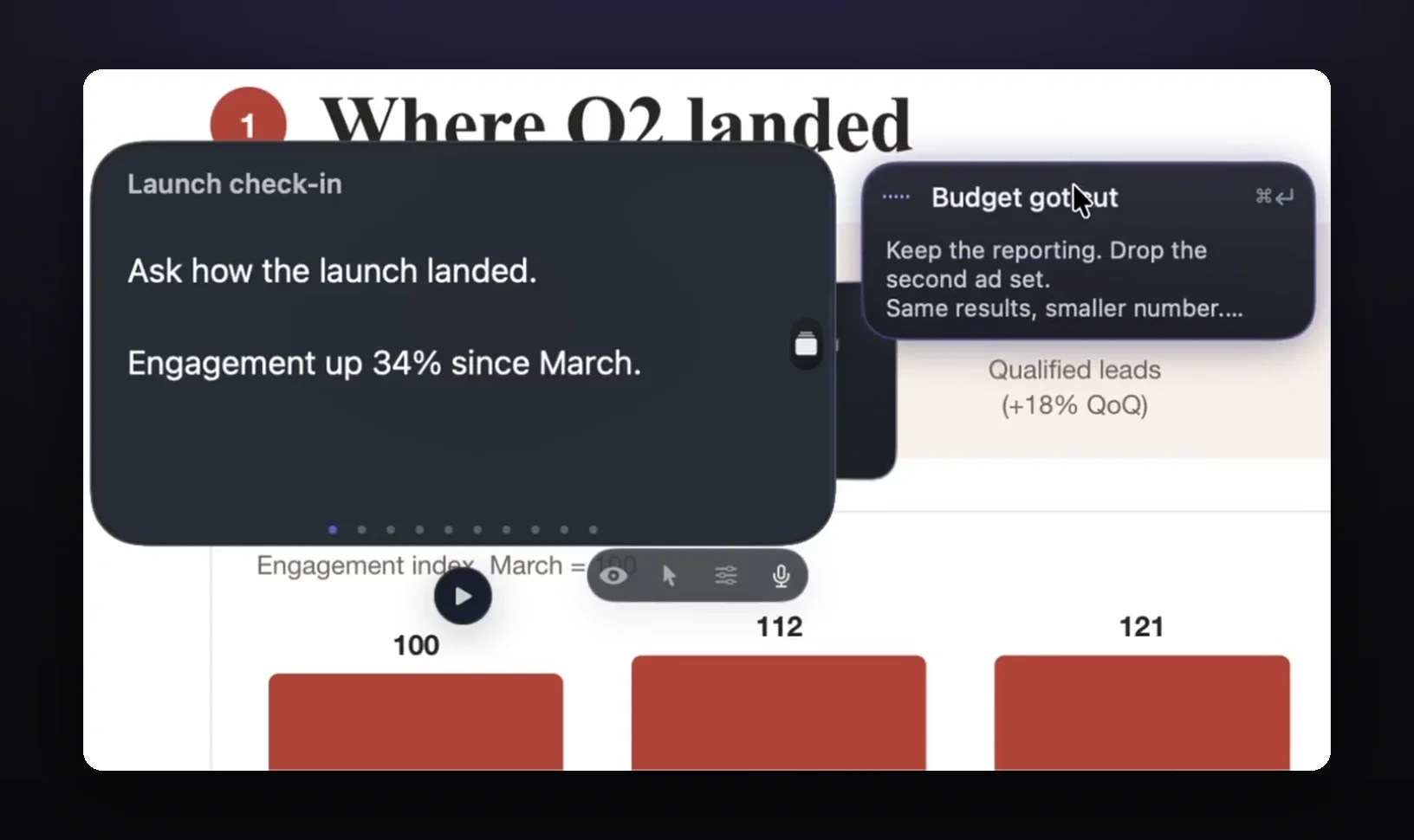
It matches words, not meaning. If the buyer's words aren't on any card, nothing comes up, so the cards you write decide how well it works.
Where GlideRail wins: what happens to the audio
Textream is upfront about this: its site says "macOS may send microphone audio to Apple for speech processing." GlideRail recognizes speech on your Mac, and the audio is never saved or sent. That's worth checking if your calls are with clients who ask where their words go.
Where GlideRail wins: you can keep working under it
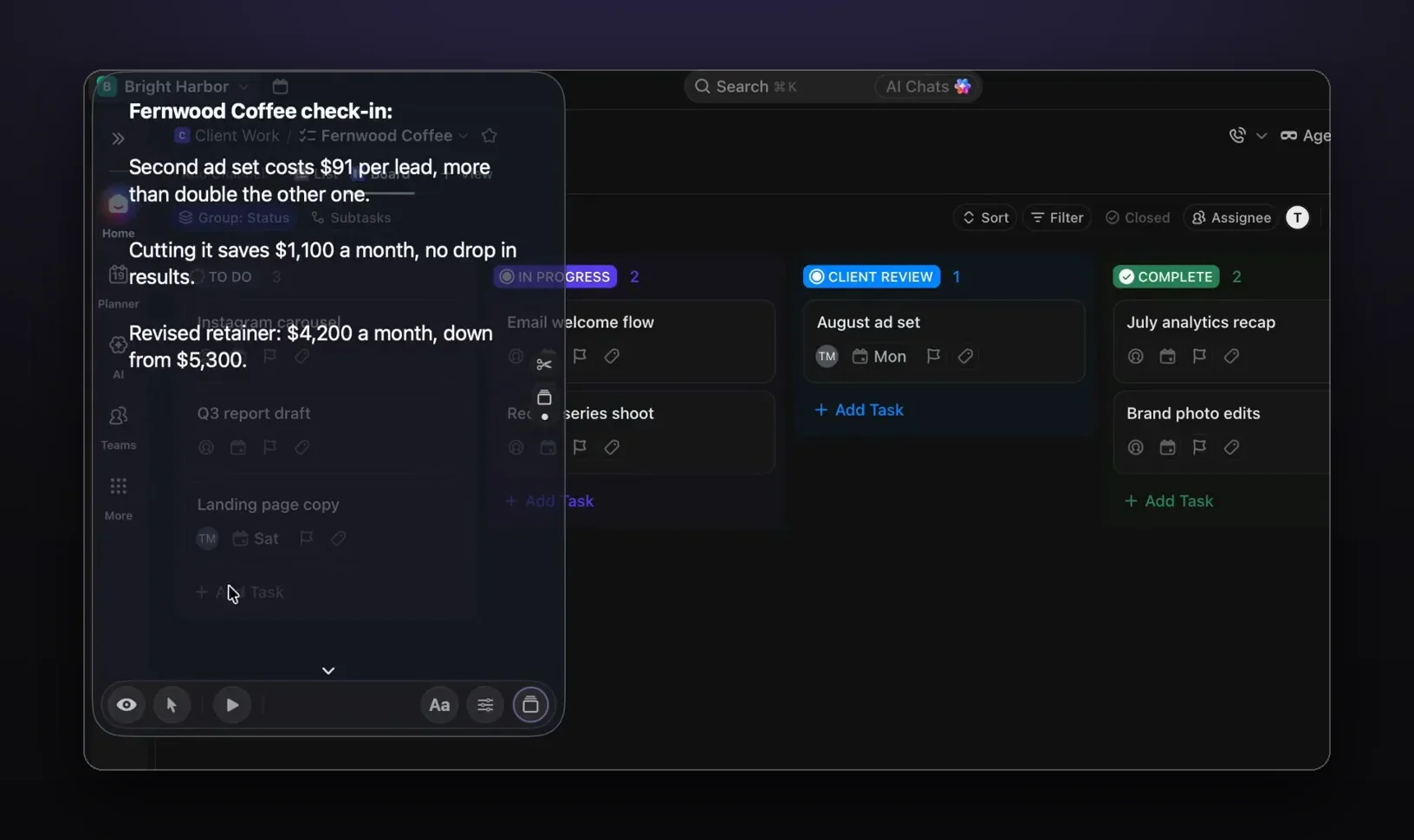
Press ⇧⌘E (Pro) and your clicks pass through GlideRail's window to the app underneath, so you can drive a live demo with your cards on top. Textream's pages don't mention click-through.
The flaws on our side
- It costs money. Hiding needs Pro. GlideRail's free windows show in screen shares.
- Mac only. No iPhone or iPad version.
- Voice needs Apple Silicon. Live Rail and Voice Follow won't start on an Intel Mac, which leaves cards and auto-scroll.
- Live Rail matches words. It won't catch a question phrased in words your cards don't hold.
- The code is private. You can't read it.
And one limit we share: a phone camera pointed at your screen sees everything, in both apps.
Verdict
Pick Textream if you read a script from start to finish, want it free, want iPhone or iPad, or want someone else feeding you the text. A recorded video or a prepared talk is what it's built for.
Pick GlideRail if your calls are live and jump around: discovery calls, demos, the price question. GlideRail is free to download, and the 7-day Pro trial needs no card, so spend it on a real call. Textream is free to install beside it, so try both before the trial ends.
FAQ
Is GlideRail a good Textream alternative for live calls?
Yes, because it offers the card that matches what was just said instead of following a script in order. For reading a script aloud, no: Textream does that for free.
Is Textream really free?
Yes. Its site and GitHub page say free and MIT licensed, with no account.
Can Textream hide from Zoom?
Its site says you can toggle the overlay hidden from screen recordings and video calls. It doesn't list which call apps, so test yours before a call that matters.
Does Textream send audio anywhere?
Its pages say recognition may happen on the device or Apple may process microphone audio. GlideRail recognizes speech on your Mac and never saves or sends the audio.
Does GlideRail work on an iPhone or iPad?
No. GlideRail is a Mac app. Textream runs on all three.
Written by Takumi, who created GlideRail. Textream facts checked November 6, 2026.